


Industrial Mini PC with Legacy Ports: Connecting Older Equipment to Modern Networks
Replacing an industrial computer is not always as simple as buying a faster processor. In factories, laboratories, and equipment control rooms, older machines may still depend on VGA displays, PS/2 peripherals, RS-232 connections, or specialized control software.
A modern industrial mini PC with legacy interfaces can help extend the useful life of existing equipment while introducing newer processors, storage, and Ethernet connectivity.
For system integrators, the key is choosing hardware that supports both sides of the installation.
1. Why Legacy Interfaces Still Matter
Many industrial systems remain operational for years after their original computer hardware becomes obsolete. Replacing an entire production machine just because its control PC fails can be expensive and disruptive.
Several interfaces remain relevant:
| Interface | Typical Industrial Application |
|---|---|
| RS-232 | Barcode scanners, controllers, measuring instruments |
| VGA | Existing industrial monitors and operator displays |
| PS/2 | Legacy keyboards and input devices |
| Ethernet | Local networks, monitoring, and data transfer |
| USB | Modern peripherals, removable storage, and maintenance |
The presence of a connector does not automatically guarantee compatibility. Software drivers, communication protocols, voltage levels, and operating system requirements must also be considered.
For example, an RS-232 device may require specific baud rates, parity settings, and flow control. Matching the physical connector is only the first step.
2. Choosing the Right CPU, Memory, and Storage
Industrial PC replacements should be selected around the application's actual requirements rather than processor performance alone.
For basic equipment monitoring, serial communication, or data collection, a low-power embedded processor may provide sufficient computing resources.
The Q10100XP-S04 is a practical example. It supports Intel Bay Trail processors, including the quad-core Celeron J1900, with up to 8GB DDR3L memory.
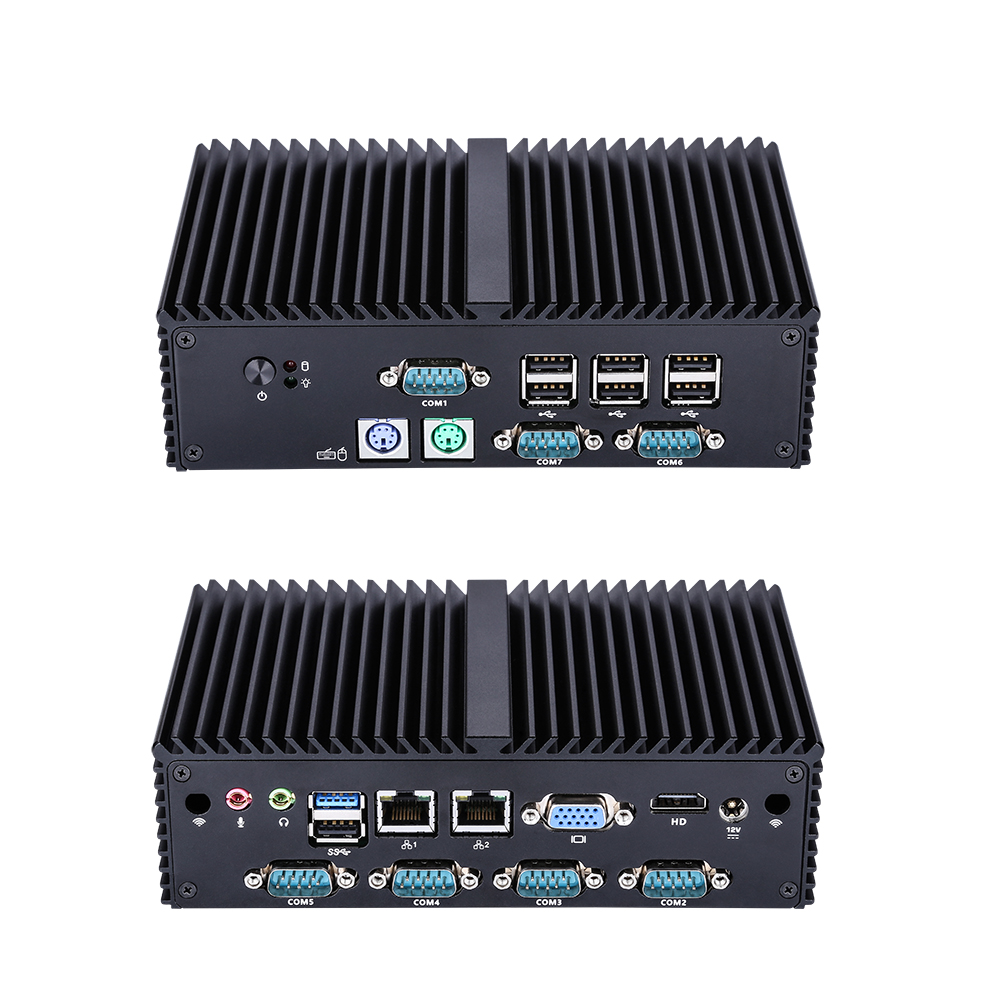
Its hardware includes 7× RS-232 ports, 2× PS/2 connections, VGA and HD display outputs, dual Gigabit Ethernet, and fanless aluminum construction.
These features make it relevant for legacy equipment integration, serial-device communication, and industrial applications that do not require substantial processing power.
For more demanding applications, including industrial visualization, multitasking, and local database processing, additional CPU performance and memory may be beneficial.
The Q31200X-S10 offers Intel 12th/13th Gen processor options, including Core i3, i5, and i7 configurations.
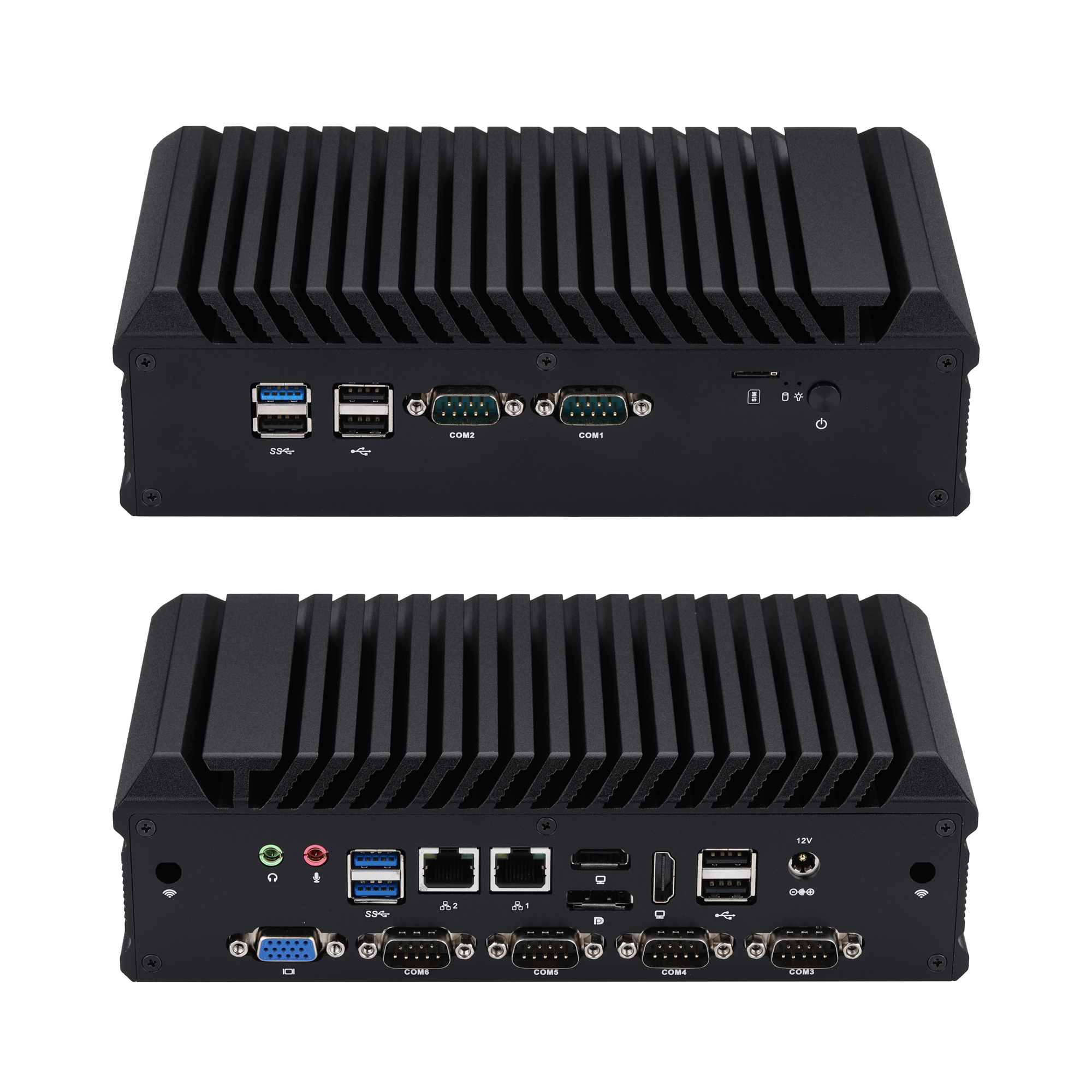
Its main features include:
Up to 32GB DDR4 memory
6× RS-232 serial ports, with COM1/2 configurable as RS-485
2× Intel I225-V/I226-V 2.5GbE LAN
M.2 2280 NVMe SSD connection using PCIe 4.0 ×4
SATA 3.0 storage support
DP, dual HD, and VGA display outputs
M.2 expansion options for Wi-Fi and compatible 4G/5G modules
This configuration provides greater flexibility for industrial workstations, equipment gateways, and applications running multiple services.
Storage compatibility is equally important. The Q10100XP-S04 supports mSATA and SATA storage, while the Q31200X-S10 provides M.2 NVMe and SATA options.
These interfaces are not interchangeable, so buyers should verify storage compatibility before replacing an existing industrial computer.
3. Qotom Industrial Mini PCs for Equipment Integration
Beyond processor performance, industrial buyers should consider the number and type of interfaces required by existing equipment.
Qotom offers several configurations designed for different industrial connectivity needs.
Q10800G4XV-S04: Five Serial Ports and Four LAN Ports
The Q10800G4XV-S04 is based on Intel Elkhart Lake processor options, including the quad-core Celeron J6412.
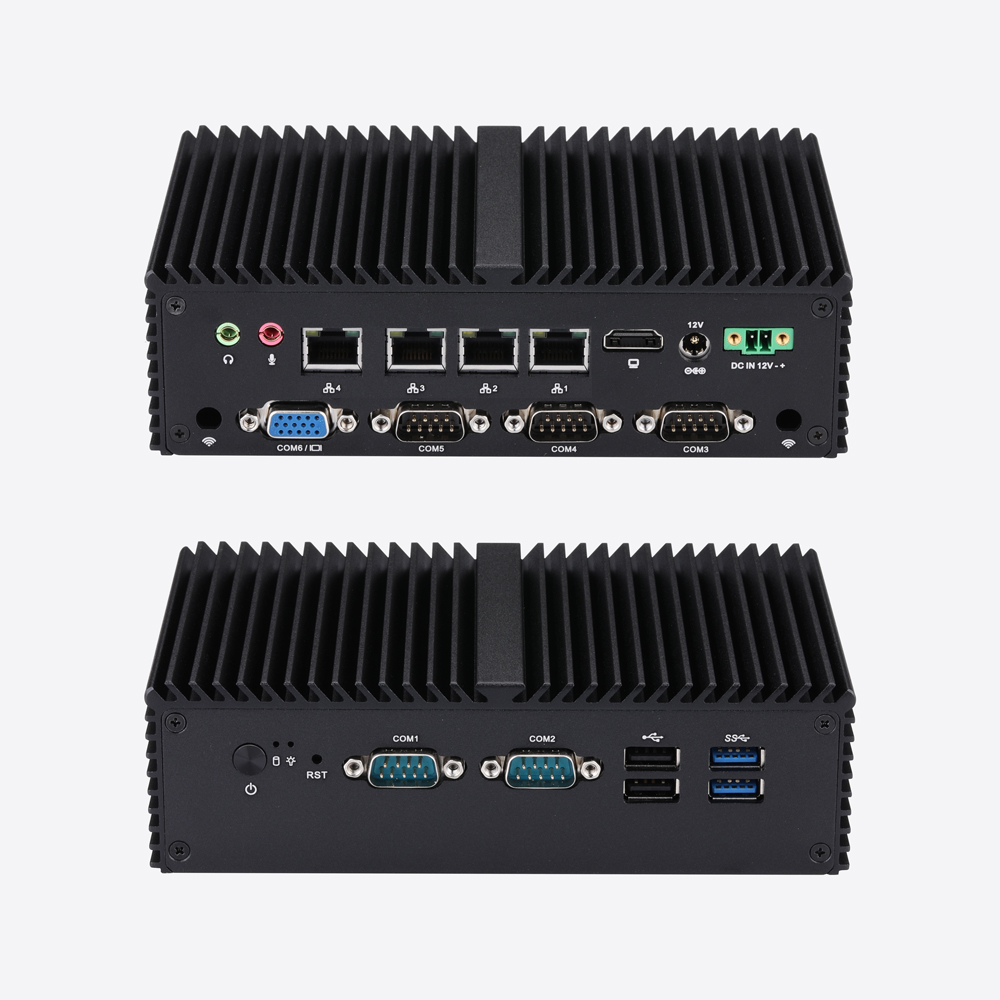
Its main hardware features include:
5× RS-232 serial ports, with COM1/2 configurable as RS-485
4× Realtek Gigabit Ethernet ports
VGA and HD display outputs
Up to 32GB DDR4 memory
mSATA and SATA storage connections
M.2 expansion options for wireless connectivity
Fanless aluminum alloy construction
Watchdog and AutoStart Jumper support
This model is suitable for applications requiring multiple serial devices and separate Ethernet connections.
For example, an industrial gateway could collect information from serial-connected instruments while communicating with different network segments.
Its four physical Ethernet interfaces provide flexibility when connecting control equipment, monitoring systems, and local infrastructure.
Q30900PVG-S08: Core Processor Options and 2.5GbE Networking
The Q30900PVG-S08 provides another approach, supporting Intel 8th–10th Gen U-series processors, including selected Core i3, i5, and i7 options.
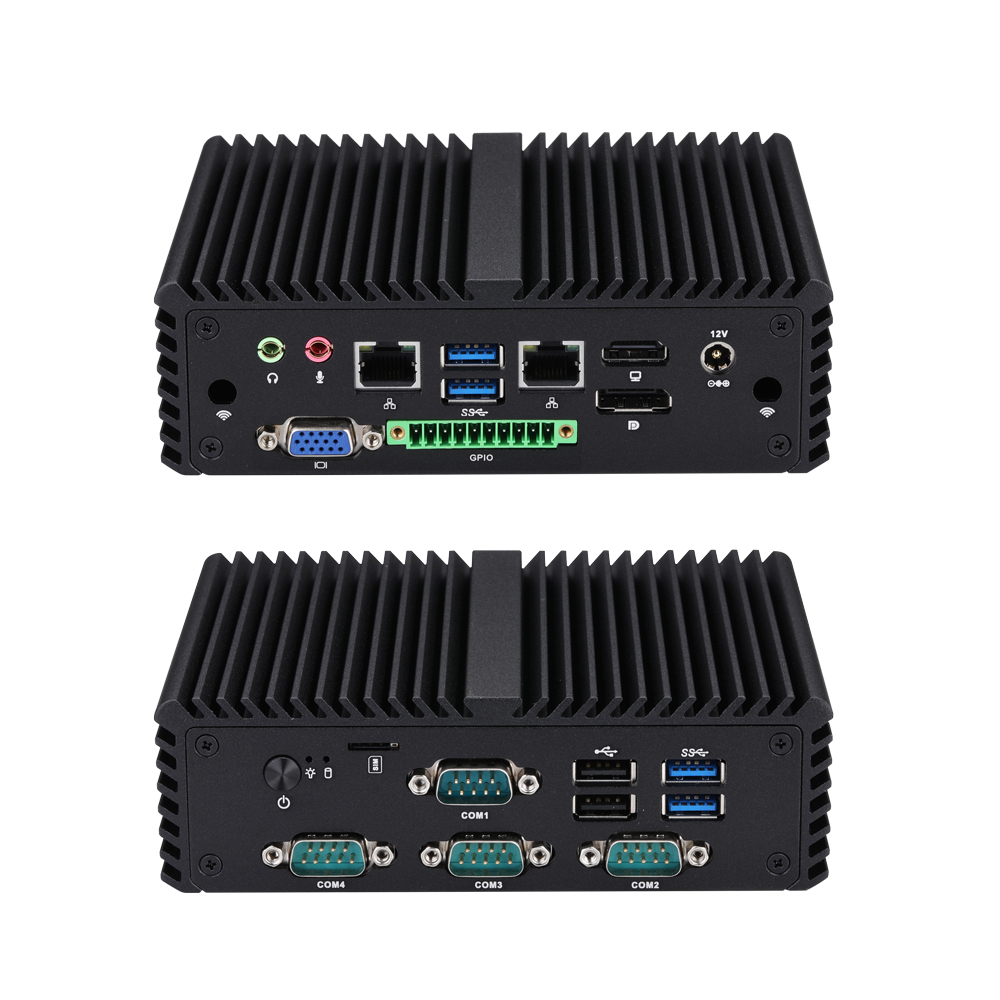
Its hardware includes:
4× RS-232 serial ports
2× Intel I225-V/I226-V 2.5GbE ports
DP, HD, and VGA display outputs
Up to 32GB DDR4 memory
M.2 M-key SSD and SATA storage options
Additional M.2 connections for compatible wireless modules
Watchdog and AutoStart Jumper support
Fanless aluminum alloy construction
Compared with entry-level embedded platforms, this series offers a broader range of processor configurations and faster Ethernet interfaces.
It may be appropriate for industrial workstations, monitoring terminals, and equipment gateways requiring both serial connectivity and additional computing resources.
The appropriate processor configuration depends on the software workload and operating environment.
4. What Should You Verify Before Replacing an Industrial PC?
A successful upgrade requires more than matching a list of connectors.
Serial communication: Confirm RS-232 pin assignments, connector types, device protocols, and any RS-485 requirements. Some equipment may also require specific serial-port voltage configurations.
Display compatibility: Check supported resolutions and timing requirements for existing VGA monitors or industrial panels.
Software compatibility: Verify operating system support, application licensing, drivers, and dependencies before migration. Older industrial applications may require legacy Windows versions that newer platforms do not support.
Installation environment: Review operating temperature, ventilation, mounting space, power input, and available cabinet dimensions.
Maintenance and recovery: Consider watchdog configuration, automatic startup, backup procedures, and recovery after power interruptions.
Storage and expansion: Confirm whether the application requires mSATA, SATA, M.2 NVMe, or additional wireless connectivity. An M.2 connector does not automatically support every type of M.2 device.
For OEM/ODM projects, Qotom can also discuss memory, storage, operating system preparation, branding, and other available customization options.
Conclusion
An industrial mini PC with legacy ports can provide a practical upgrade path for existing machinery without requiring every connected device to be replaced.
For basic serial communication and older peripherals, the Qotom Q10100XP-S04 offers a combination of RS-232, PS/2, and Gigabit Ethernet connectivity.
For more demanding applications, the Q31200X-S10 provides newer processor options, DDR4 memory, NVMe storage, and additional expansion capabilities.
Meanwhile, the Q10800G4XV-S04 and Q30900PVG-S08 offer different combinations of serial ports, Ethernet interfaces, and processor configurations for industrial equipment integration.
The best industrial PC replacement is not necessarily the newest or most powerful system. It is the platform that matches existing equipment, software requirements, and future connectivity needs.