


How to Program a Qotom Mini PC Serial Number in DOS Mode Using SMBCFG
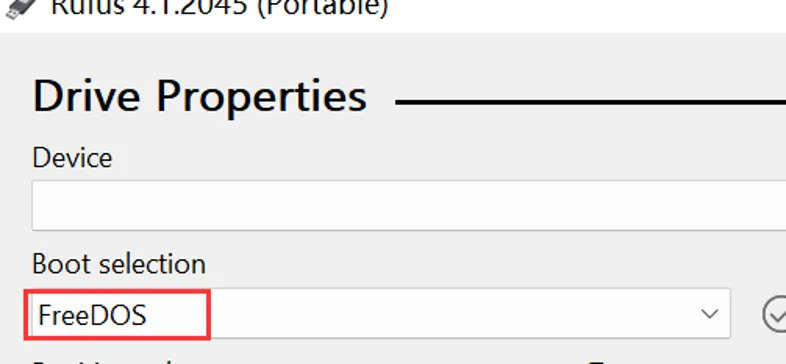
Create a FreeDOS bootable USB drive using Rufus.
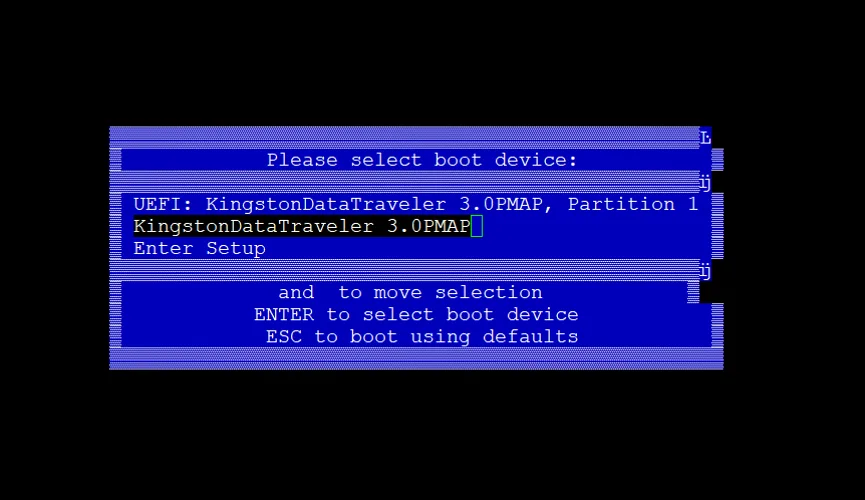
Power on the device and boot from the USB drive.
AMIDDOS.EXE may not be compatible with newer platforms. SMBCFG.EXE is recommended.
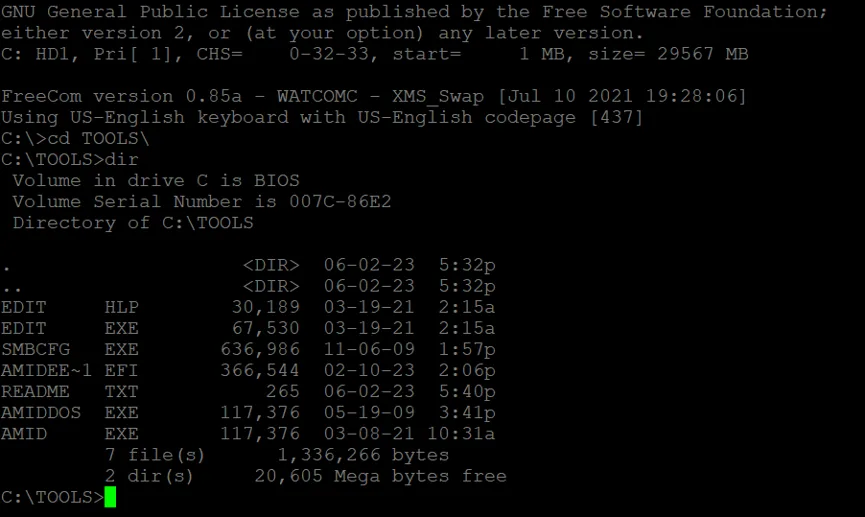
Run SMBCFG.EXE, then press F2 to enter modification interface.
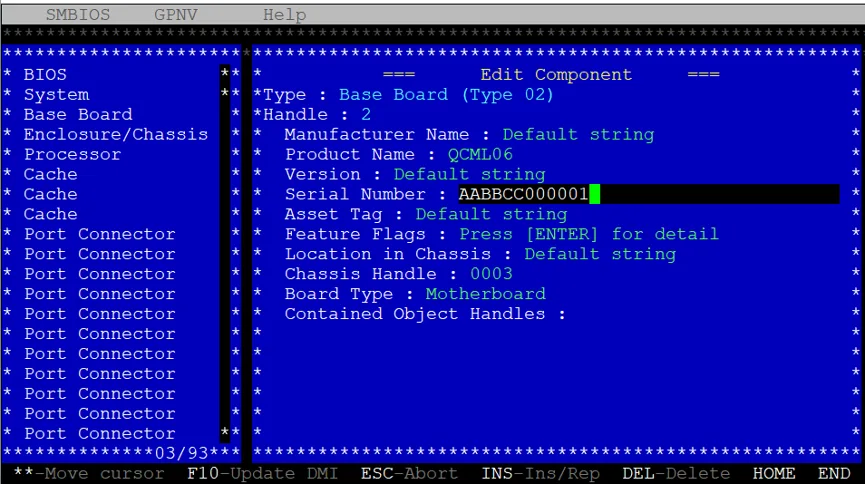
Press F10 to save changes, Esc to return to the main menu, and Alt+X to exit the program.
Reboot the device for settings to take effect.
Important Notes
Serial number programming should only be performed by authorized personnel for legitimate device provisioning, maintenance or repair.
Before making changes, record the original serial number and verify the correct value against the device label or manufacturer records.
SMBCFG.EXE compatibility may vary by hardware platform. Use the utility and procedure approved for your specific Qotom device. Restart the system after saving changes and verify that the serial number has been updated correctly.