


RS-232 vs RS-485: How to Choose an Industrial Mini PC for Serial Devices
Industrial equipment still relies heavily on serial communication. PLCs, barcode scanners, industrial meters, and automation controllers often use RS-232 or RS-485 to exchange data.
An embedded industrial computer with multiple COM ports can connect legacy serial devices to modern monitoring software and Ethernet networks. For installations with limited space or maintenance requirements, a fanless industrial mini PC can also be a practical choice.
But which interface should you choose, and how much computing power do you actually need?
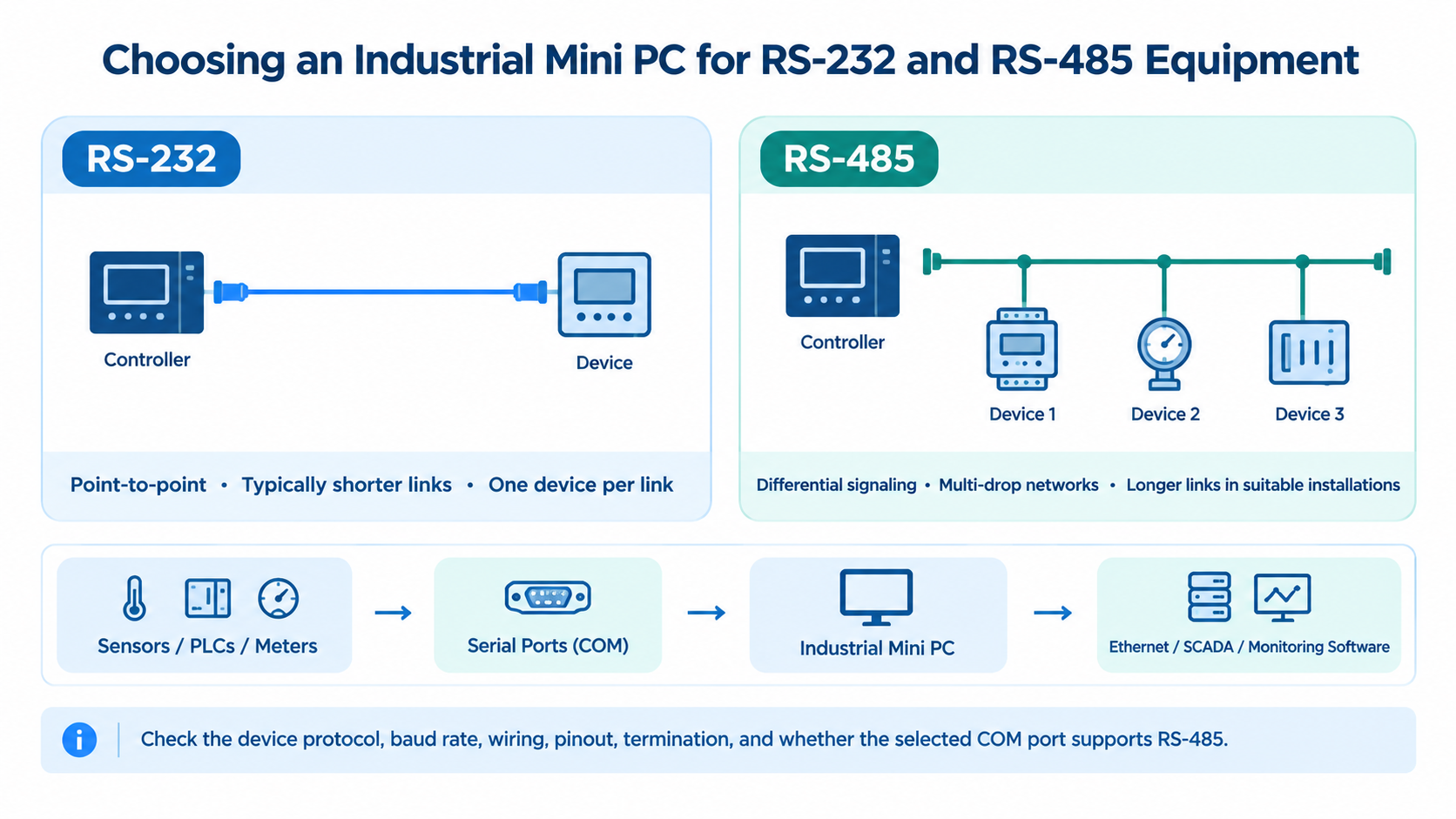
1. RS-232 vs RS-485: What's the Difference?
Both standards support serial communication, but they serve different connection requirements.
Feature | RS-232 | RS-485 |
|---|---|---|
Signaling | Single-ended | Differential |
Connection | Point-to-point | Point-to-point or multidrop |
Cable distance | Typically shorter | Supports longer runs |
Typical applications | Legacy machines, controllers | PLCs, meters, industrial sensors |
RS-232 is commonly used for direct connections between a computer and an industrial device.
RS-485 is better suited to longer cable runs and electrically noisy environments. It can also connect multiple compatible devices on a shared communication bus.
The right choice depends on your equipment, communication protocol, and installation environment.
2. How Many COM Ports Do You Need?
A single controller may need only one serial port. Industrial monitoring systems connecting several PLCs, meters, or machines may require four, six, or more.
However, port quantity is not everything.
A mini PC with six RS-232 ports does not necessarily support six RS-485 connections. Some industrial computers allow selected COM ports to be configured for different communication standards.
Always confirm the interface type, pinout, baud rate, and software compatibility before purchasing.
3. Three Qotom Industrial Mini PCs for Different Performance Needs
From compact fanless industrial computers to higher-performance desktop platforms, Qotom provides different options for industrial automation, serial device integration, and equipment monitoring.
Q10100X-S04 — Entry-Level Industrial Computing
The Q10100X-S04 supports Intel Bay Trail processors, including the quad-core Celeron J1900.
Intel Celeron J1900, 4 cores / 4 threads
7 × RS-232 ports
2 × Gigabit Ethernet
DDR3L memory up to 8GB
Best for: Legacy equipment integration, basic data acquisition, and lightweight industrial control applications.
This platform is particularly useful when maintaining compatibility with established industrial systems is more important than processing performance.
Q10800XPGV-S04 — Modern Low-Power Industrial Platform
Powered by Intel Elkhart Lake processors, including the Celeron J6412, the Q10800XPGV-S04 offers a newer architecture with improved computing capabilities.
Intel Celeron J6412, 4 cores / 4 threads
5 × RS-232 ports
COM1/COM2 configurable for RS-485
2 × Gigabit Ethernet
DDR4 memory up to 32GB
Fanless aluminum chassis
Best for: Industrial gateways, equipment monitoring, and automation systems requiring reliable serial communication and low-power operation.
Q71200X-S15 — Higher-Performance Industrial Computing
The Q71200X-S15 supports Intel 12th and 13th Gen desktop processors, offering substantially more computing capacity for demanding industrial applications.
Intel 12th/13th Gen desktop CPU options
6 × RS-232 ports
COM3/COM4 configurable for RS-422/RS-485
2 × 2.5GbE LAN
Dual DDR4 memory up to 64GB
Best for: Industrial data processing, multi-device monitoring, and applications requiring higher CPU performance and faster networking.
Quick Comparison
Model | CPU Platform | COM Ports | Ethernet |
|---|---|---|---|
Q10100X | J1900 | 7 × RS-232 | 2 × 1GbE |
Q10800XPGV | J6412 | 5 × RS-232 | 2 × 1GbE |
Q71200X | 12th/13th Gen | 6 × RS-232 | 2 × 2.5GbE |
4. What to Check Before Deployment
Before choosing an industrial mini PC, consider:
Serial interfaces: RS-232, RS-485, or RS-422.
Port configuration: Confirm which COM ports support each standard.
Communication settings: Baud rate, parity, wiring, and termination.
Computing requirements: Match CPU performance and memory to the workload.
Operating system: Verify driver and application compatibility.
Common industrial mini PC applications include PLC communication, industrial data acquisition, factory automation, equipment monitoring, and serial-to-Ethernet gateways.
Final Thoughts
Choosing an industrial mini PC involves more than counting serial ports.
The Q10100X is suitable for legacy systems and basic control tasks. The Q10800XPGV offers a newer low-power platform for industrial connectivity, while the Q71200X provides greater computing capacity for demanding applications.
The best choice balances serial compatibility, computing performance, and long-term deployment requirements.