


2 vs 4 vs 6 LAN Ports: How Many Does a Firewall Mini PC Need?
When choosing a firewall mini PC, one common question is: Do you need 2, 4, or 6 LAN ports?
More Ethernet ports provide greater networking flexibility, but they don't automatically improve internet speed.
The right choice depends on how many networks you want to connect and manage.
2 vs 4 vs 6 LAN Ports
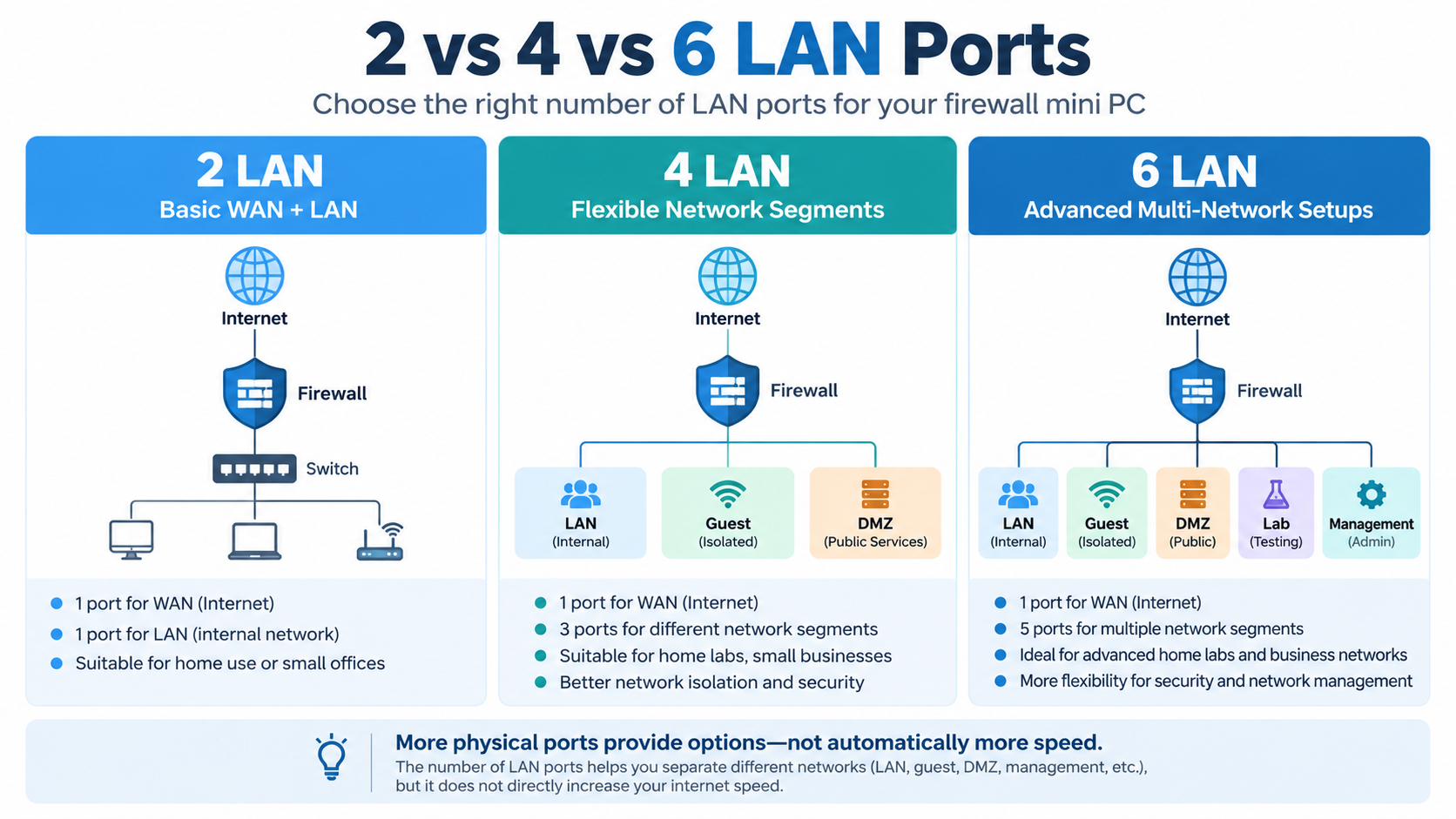
Here's a quick comparison:
| LAN Ports | Typical Setup | Best For |
|---|---|---|
| 2 LAN | 1 WAN + 1 LAN | Home Firewall |
| 4 LAN | 1 WAN + 3 LAN Networks | Home Lab, Small Office |
| 6 LAN | 1 WAN + 5 LAN Networks | Advanced Networking |
2 LAN Ports: Basic Firewall
Two Ethernet ports are enough for a standard firewall setup.
One connects to your internet modem or upstream router (WAN), while the other connects to your internal network (LAN).
This configuration works well for home networks and basic firewall applications.
4 LAN Ports: More Flexibility
Four LAN ports allow you to create separate physical connections for different networks.
For example:
Port 1: WAN
Port 2: Main LAN
Port 3: Guest Network
Port 4: DMZ or Home Lab
This is a practical choice for small businesses, home labs, and users who want additional network isolation.
6 LAN Ports: Advanced Networking
Six-port mini PCs are useful when you need more dedicated network connections.
They can support multiple WAN connections, separate network segments, management networks, or testing environments.
However, having six ports doesn't mean you must use all of them.
Do You Really Need More Physical Ports?
Not necessarily.
With a managed network switch and VLAN configuration, even a two-port firewall can manage multiple logical networks.
However, additional physical ports can simplify certain deployments by providing dedicated interfaces.
Remember that VLAN separation also requires correct firewall rules and switch configuration.
For most home users, two ports are sufficient. Four ports offer a useful balance between flexibility and cost.
Recommended Qotom 4-LAN Mini PC
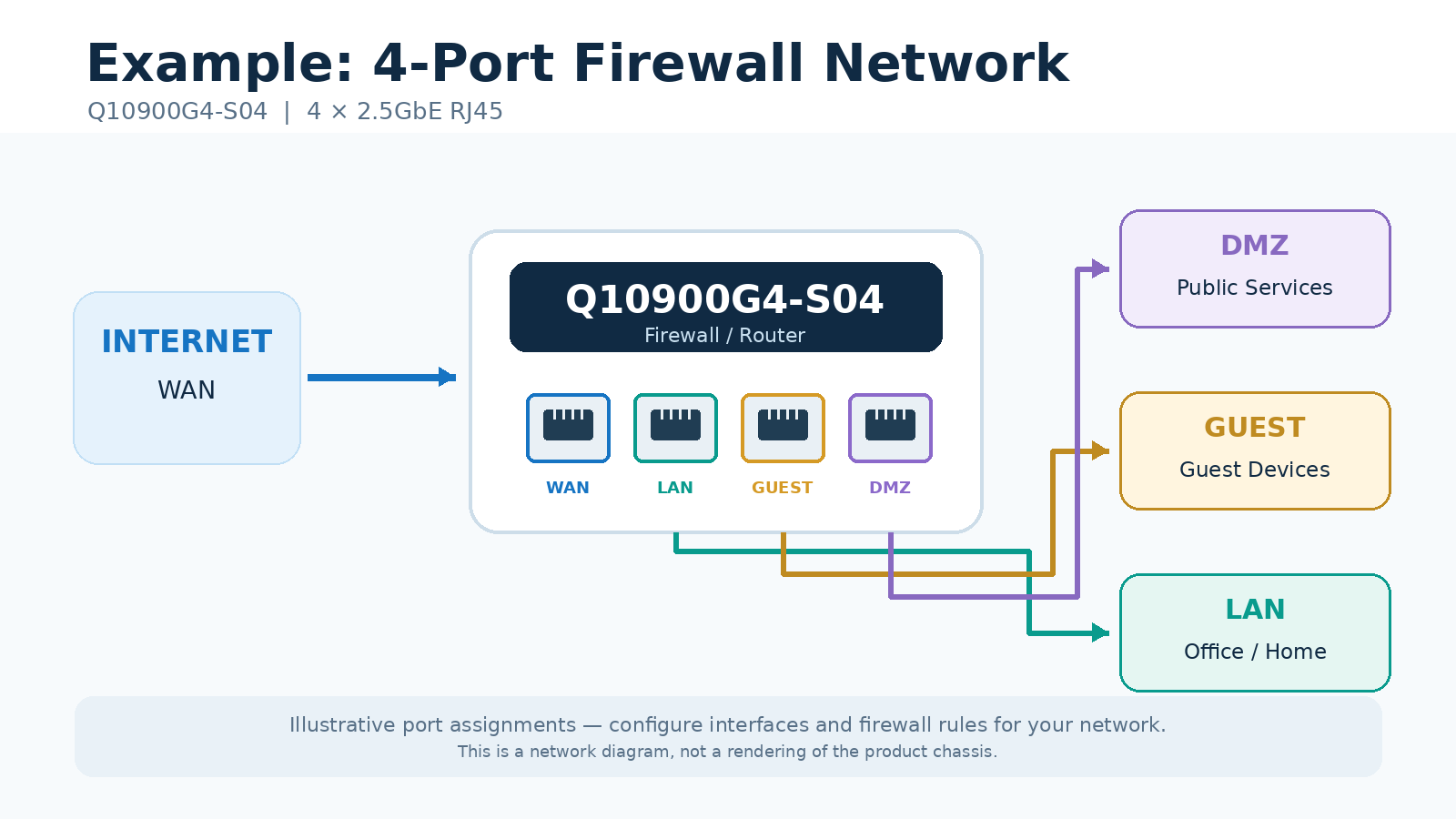
The Qotom Q10900G4-S04 is a compact fanless mini PC designed for multi-network applications.
Key Features:
4 × Realtek 2.5GbE RJ45 LAN
Intel Alder Lake-N / Twin Lake-N processors
DDR5 memory support up to 48GB
M.2 SSD and SATA storage options
Fanless aluminum chassis
With four 2.5GbE ports, it offers flexible physical connections for home labs, network gateways, and small office firewalls.
Before selecting firewall software such as pfSense or OPNsense, verify network controller and driver compatibility.
Final Thoughts
Choose 2 LAN ports for simple networks, 4 LAN ports for greater flexibility, and 6 or more for advanced deployments.
The best firewall mini PC isn't necessarily the one with the most ports. It's the one that matches your network requirements.