


Can You Run Proxmox and OPNsense on the Same Mini PC?
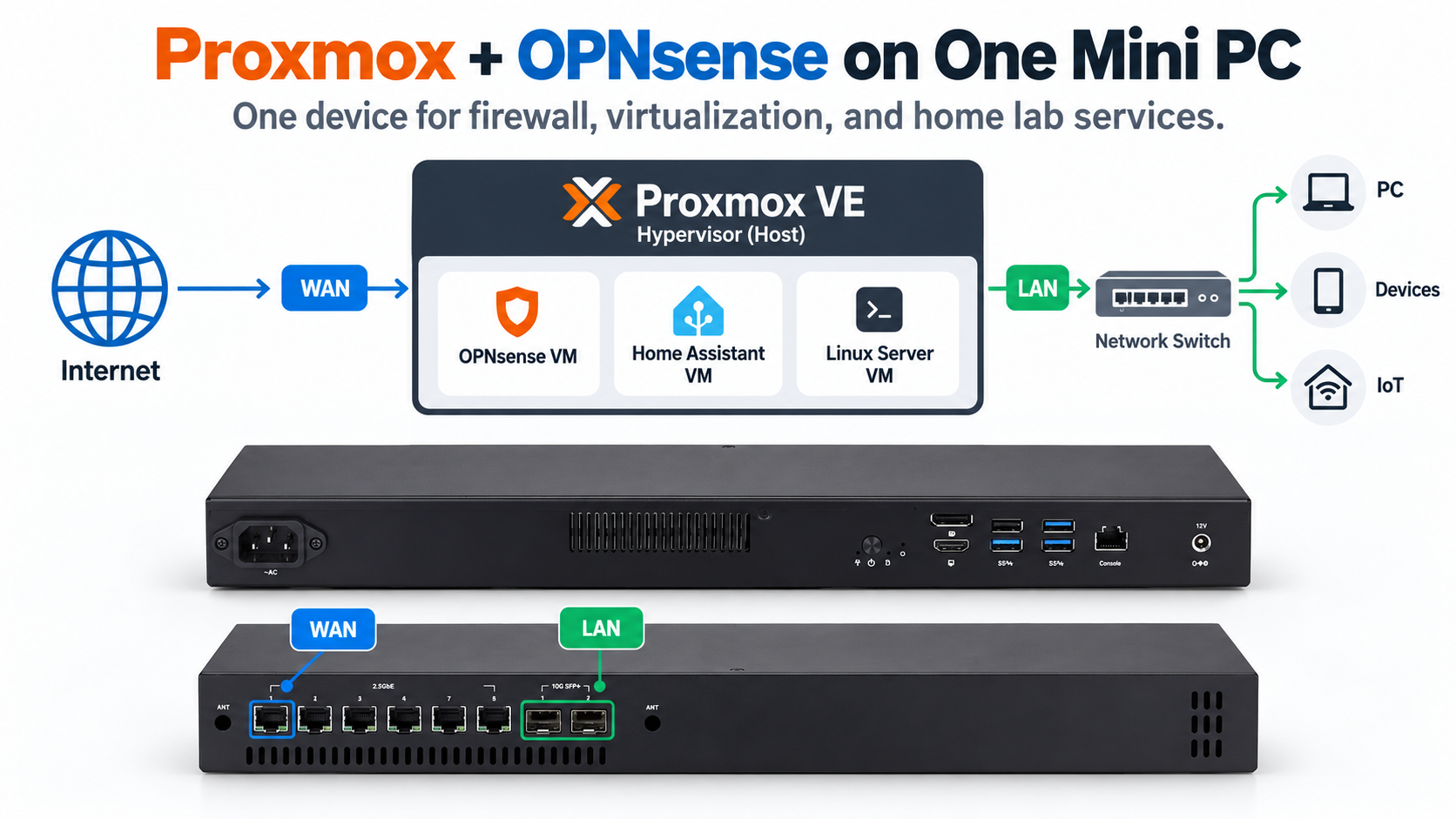
Can one mini PC work as both a firewall and a virtualization server? Yes. By installing Proxmox VE, you can run OPNsense as a virtual machine alongside other applications.
This setup is increasingly attractive for home labs and small networks because it reduces hardware requirements while providing flexibility.
However, choosing the right hardware and network configuration is important.
Why Run OPNsense on Proxmox?
Proxmox VE is an open-source virtualization platform that allows multiple virtual machines and containers to run on one physical computer.
Instead of installing OPNsense directly on your mini PC, you install Proxmox first and create an OPNsense virtual machine.
This allows a single system to handle several tasks:
OPNsense: Firewall, routing, and network security
Home Assistant: Smart home automation
Linux Server: Web hosting or development
Docker Applications: Self-hosted services
Network Monitoring: Traffic and device monitoring
You can also create snapshots, manage virtual machines remotely, and allocate resources according to your needs.
What Hardware Do You Need?
Not every mini PC is suitable for running multiple virtual machines.
Processor performance, memory capacity, storage speed, and network interfaces all matter.
For a small Proxmox and OPNsense setup, consider these specifications:
| Hardware | Suggested Configuration |
|---|---|
| CPU | 4 or more cores |
| RAM | 16GB recommended |
| Storage | 128GB SSD or larger |
| LAN Ports | 2 or more |
| Virtualization | Intel VT-x or AMD-V |
These are practical starting recommendations, not strict minimum requirements.
An 8GB system may handle a basic test environment, but 16GB provides more flexibility when additional services are running.
For larger home labs, 32GB or more may be preferable.
Also verify that the processor and BIOS support the virtualization features required by your intended configuration.
How to Configure the Network
Networking is one of the most important parts of virtualizing a firewall.
A typical configuration uses two physical Ethernet ports:
WAN Port → OPNsense VM → LAN Port → Network Switch
In Proxmox, you can create separate Linux bridges for WAN and LAN traffic, then assign them to the OPNsense virtual machine.
Another option is PCIe passthrough, which allows the virtual machine to control a physical network device directly.
However, passthrough requires compatible hardware and properly configured IOMMU support.
For beginners, Linux bridges are often easier to configure.
Important: Keep the Proxmox management interface isolated from the untrusted WAN network.
Is a Virtual Firewall Better Than a Dedicated Firewall?
Virtualizing OPNsense offers flexibility, but it also introduces additional dependencies.
If Proxmox needs to restart for maintenance, the OPNsense virtual machine will also stop, temporarily interrupting internet access.
A dedicated firewall avoids this particular dependency.
For home labs and testing environments, virtualization can be an excellent solution.
For business-critical networks, consider whether a dedicated firewall or redundant infrastructure would provide better availability.
Recommended Qotom Mini PC
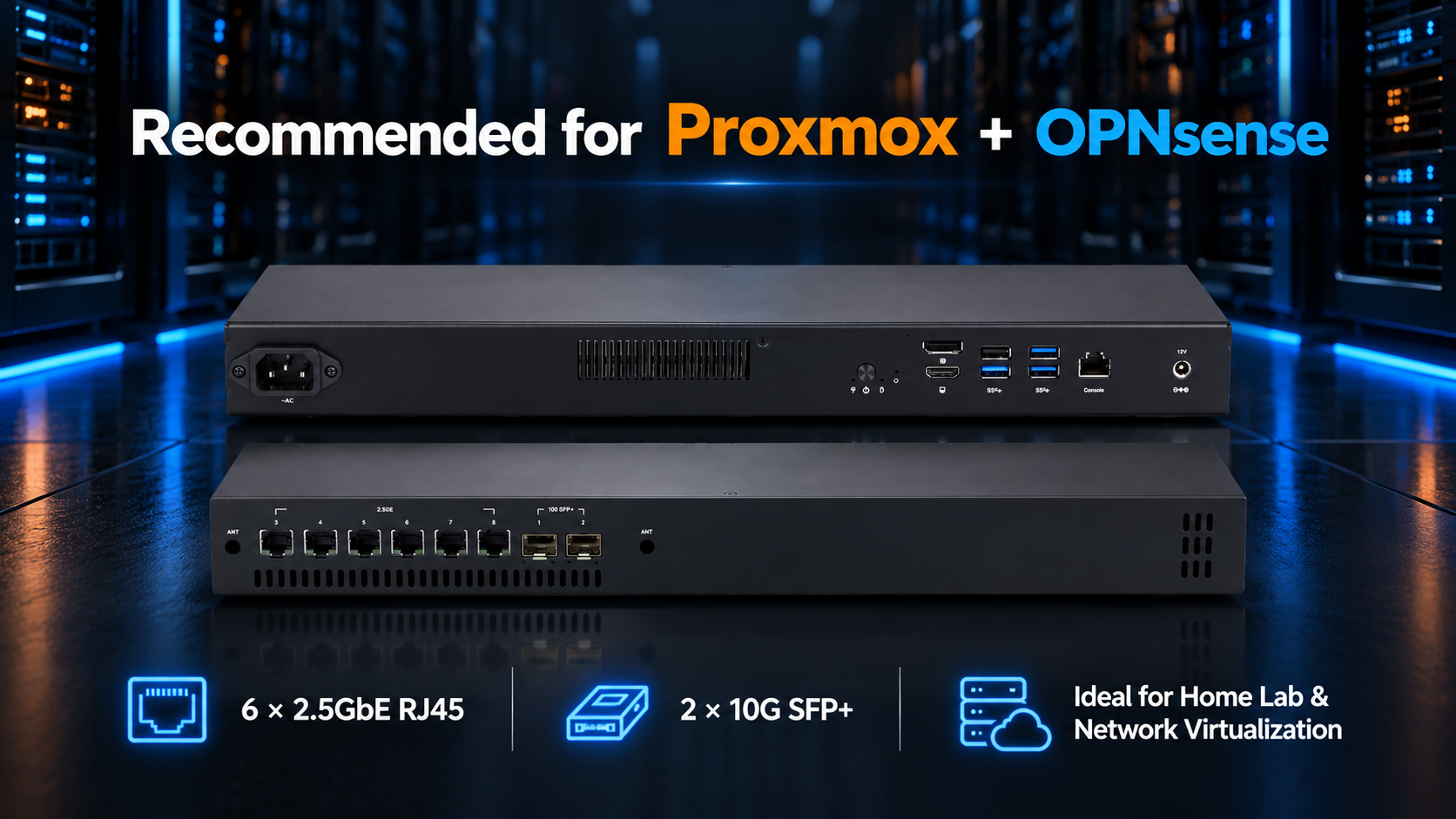
For users planning a multi-network virtualization setup, the Qotom Q30900SE-1U15 is worth considering.
It features:
Intel 8th–10th Gen processor options
6 × 2.5GbE RJ45 ports
2 × 10G SFP+ ports
DDR4 memory support up to 32GB
1U rackmount chassis
The multiple network interfaces provide flexibility for separating WAN, LAN, management, and virtualized services. Actual Proxmox compatibility and passthrough capabilities should be checked against the selected CPU and configuration.
Explore the Qotom Q30900SE-1U15 specifications.
Final Thoughts
Running Proxmox and OPNsense on the same mini PC is a practical option for home labs, network testing, and small server environments.
A multi-LAN mini PC with sufficient RAM and virtualization support can combine firewall functions with other useful services.
Just remember that network isolation, resource allocation, and system availability are as important as raw hardware performance.