


Industrial Mini PC for Machine Vision: How to Choose the Right Hardware Category: Buying Guides
Machine vision systems require more than a powerful processor. A suitable industrial computer must handle camera data acquisition, image processing, communication with production equipment, and continuous data storage without creating interface or bandwidth bottlenecks.
For manufacturers integrating industrial cameras into automated inspection systems, selecting the right Mini PC means evaluating the entire hardware configuration rather than CPU performance alone.
1. Camera Interfaces Determine Your Hardware Requirements
The first decision is how cameras will connect to the computer.
Three common interfaces have different hardware requirements:
Camera interface | Main consideration | PC requirement |
|---|---|---|
GigE Vision | Network bandwidth and camera count | Gigabit or 2.5GbE LAN |
USB3 Vision | USB bandwidth and controller allocation | USB 3.0/3.2 ports |
Camera Link / CoaXPress | High-speed image acquisition | Compatible frame grabber |
GigE Vision is useful when cameras are distributed across a production line or connected through industrial Ethernet switches. USB3 Vision is convenient for shorter direct connections.
However, the number of physical ports does not tell the whole story. Multiple USB cameras may share an internal USB controller, so buyers should verify controller topology and available bandwidth.
Camera Link and CoaXPress systems may require dedicated frame grabbers. Confirm expansion-slot compatibility before choosing a compact Mini PC.
2. Calculate CPU and Network Requirements
Consider a system using four GigE cameras, each generating 150 Mbps of image data.
The aggregate incoming bandwidth is:
4 × 150 Mbps = 600 Mbps
This is a theoretical input load before protocol overhead and additional traffic.
A dual-port 2.5GbE Mini PC provides more networking flexibility than a single Gigabit interface. However, actual throughput depends on the NIC configuration, switching architecture, software, and processing workload.
CPU selection also depends on the inspection algorithm.
Basic image acquisition and inspection can often use lower-power processors.
Multiple camera streams and simultaneous image analysis require more CPU resources.
Complex image processing and AI inference may require dedicated GPU or accelerator hardware.
Do not select a processor based solely on camera resolution. Consider frame rate, image size, processing complexity, and the number of simultaneous inspection tasks.
3. Qotom Mini PCs for Machine Vision Applications
Qotom offers industrial Mini PCs with different combinations of USB, Ethernet, display, and expansion interfaces.
Two platforms worth evaluating are:
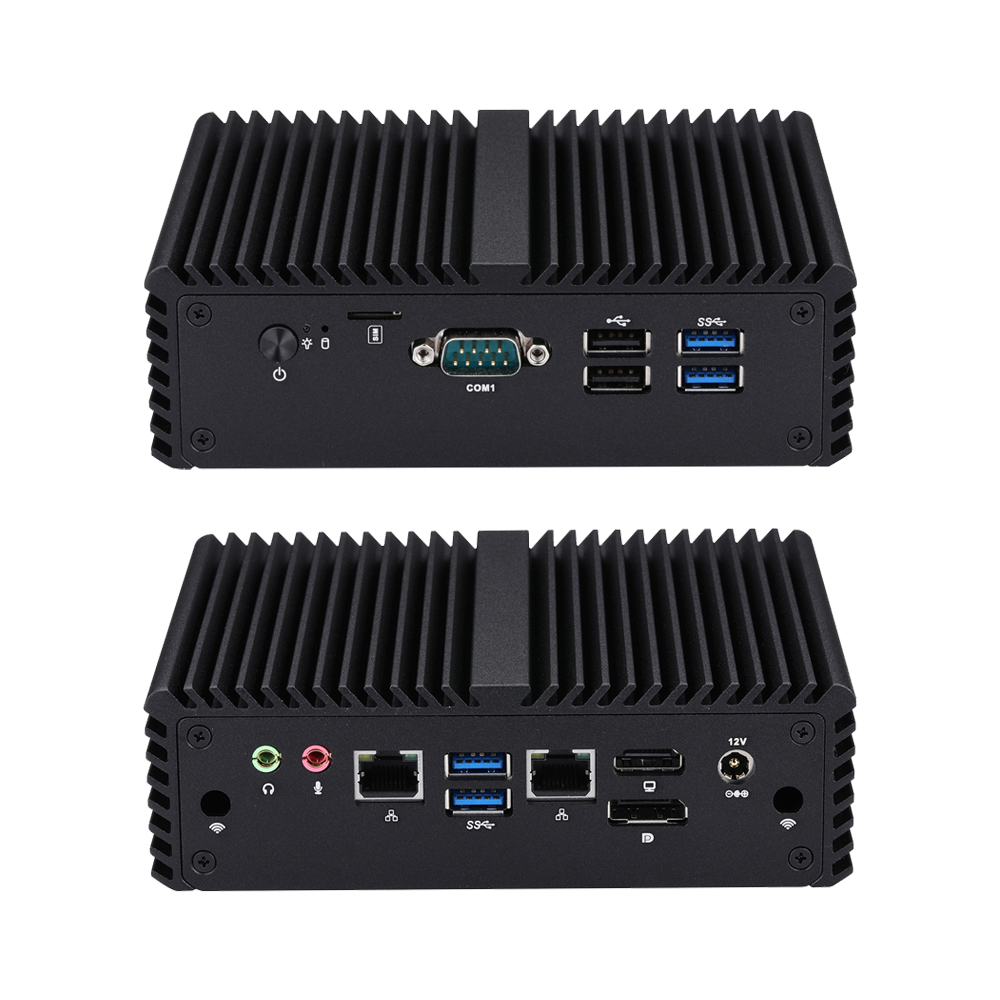
4 × USB 3.0 and 2 × USB 2.0
2 × Intel 2.5GbE LAN
8th/10th Gen Intel U-series options
Up to 32GB DDR4
3 × M.2 and SATA storage
Fanless aluminum chassis
Suitable for compact inspection systems using USB or GigE cameras.
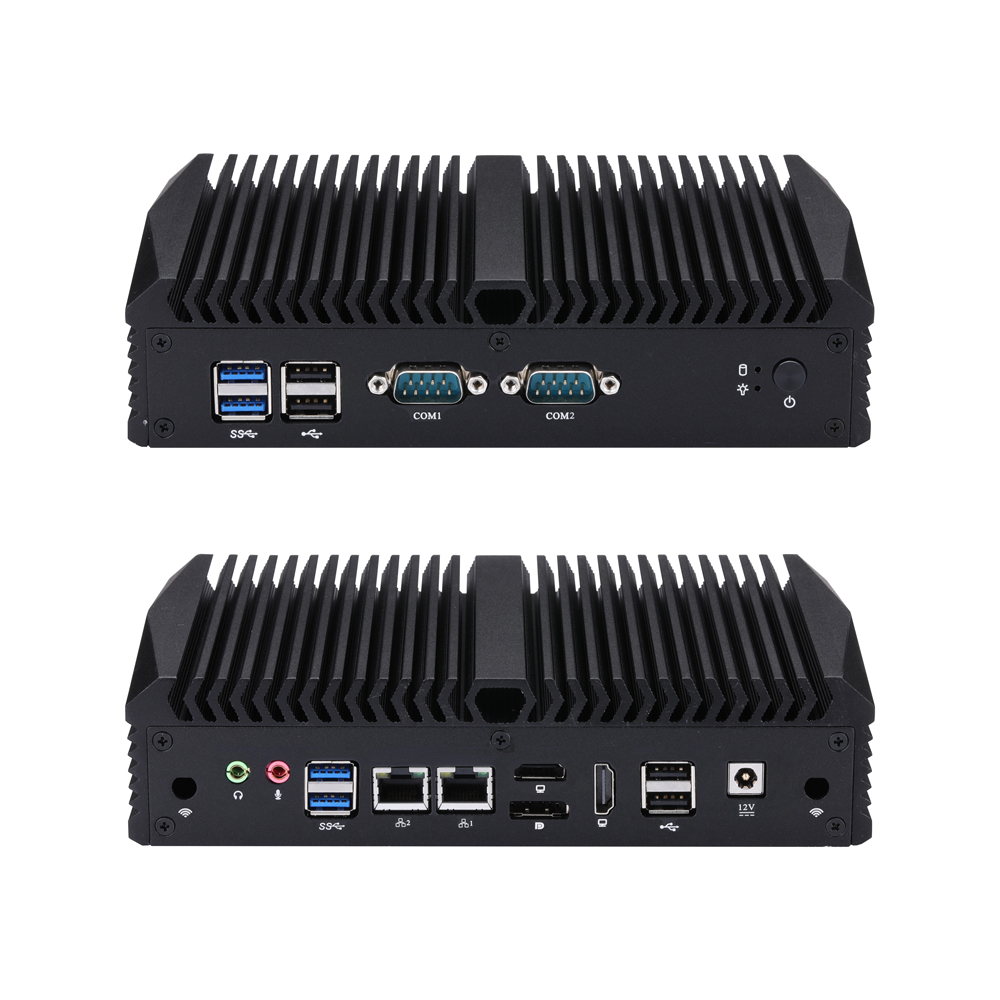
3 × USB 3.0 and 5 × USB 2.0
2 × Intel 2.5GbE LAN
Intel 12th/13th Gen processor options
Up to 32GB DDR4
DP + 2 × HDMI
3 × M.2 and SATA storage
Suitable for applications requiring newer processor options, multiple camera connections, and additional display outputs.
These are general-purpose industrial computing platforms, not dedicated frame-grabber computers. Check camera compatibility and expansion requirements before deployment. Specifications:
4. Don't Overlook Storage and Industrial I/O
Machine vision generates substantial image data, particularly when systems retain original inspection images for traceability.
Consider:
SSD capacity: Estimate storage from image size, inspection frequency, and retention requirements.
Write endurance: Check SSD endurance ratings for continuous recording workloads.
Display output: Multiple display interfaces can support operator interfaces and inspection monitoring.
Industrial communication: RS-232, configurable RS-485, and GPIO can help integrate external controllers and equipment, subject to the required electrical interface.
For applications involving external triggers, lighting controllers, or precision synchronization, verify dedicated hardware trigger I/O separately. A standard serial port is not automatically a camera trigger interface.
Conclusion
The right industrial Mini PC for machine vision depends on camera interfaces, aggregate bandwidth, image-processing requirements, storage workload, and equipment integration.
Qotom provides different hardware configurations for industrial computing applications. Matching the actual I/O requirements to the inspection system is more important than simply choosing the highest CPU specification.