


Proxmox Linux Bridge vs PCIe Passthrough: Which Is Better for a Multi-LAN Mini PC?
When running Proxmox VE on a multi-LAN mini PC, one important decision is how to connect virtual machines to physical Ethernet ports.
Two common approaches are Linux Bridge and PCIe Passthrough.
Both can provide network connectivity to virtual machines, but they work differently. Understanding these differences helps you build a more flexible and reliable virtualization environment.
1. What Is a Linux Bridge in Proxmox?
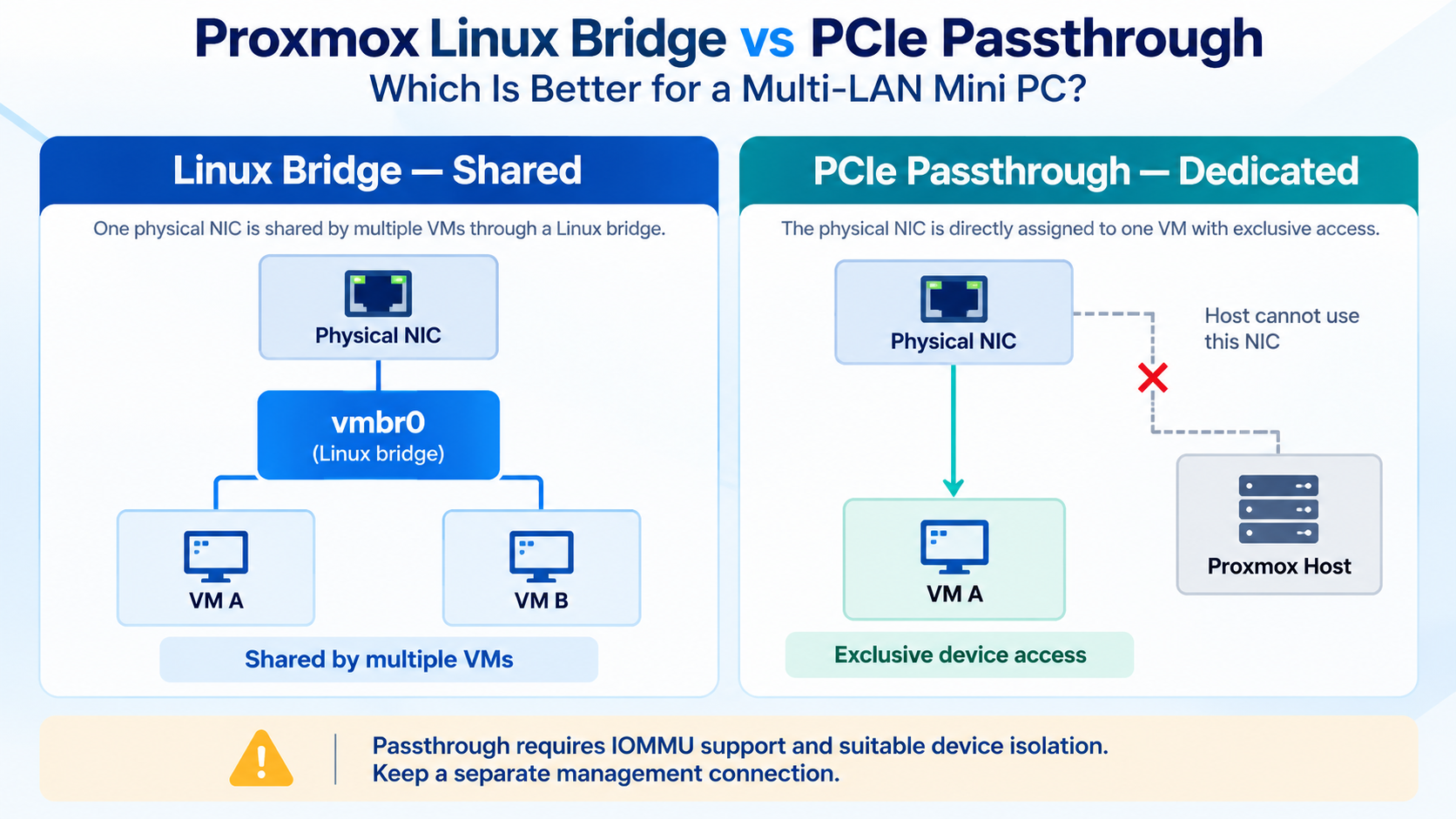
A Linux Bridge works like a virtual Ethernet switch.
It connects virtual machines to physical network interfaces, allowing multiple VMs to share the same Ethernet port.
For example, a Qotom multi-LAN mini PC might use:
vmbr0— Proxmox management networkvmbr1— Virtual machine LANvmbr2— Dedicated storage network
Each bridge can connect to a different physical interface.
Multiple virtual machines can also share one bridge without requiring separate physical Ethernet ports.
Linux Bridges support VLAN-aware networking, making them useful for environments with multiple logical networks.
For most home labs and general virtualization workloads, bridging is a practical starting point.
2. What Is PCIe Passthrough?
PCIe Passthrough assigns a physical PCIe device directly to a virtual machine.
Instead of using a virtual network adapter connected to a Linux Bridge, the guest operating system controls the assigned network controller.
This approach can be useful for virtualized firewalls and specialized network appliances that require direct hardware access.
However, there are important requirements.
The processor and platform must support IOMMU, such as Intel VT-d, and the device must have suitable IOMMU isolation.
A passed-through network controller is no longer available to the Proxmox host or other virtual machines.
Therefore, avoid passing through the network interface used for Proxmox management.
3. Linux Bridge vs PCIe Passthrough
| Feature | Linux Bridge | PCIe Passthrough |
|---|---|---|
| Physical NIC sharing | Multiple VMs | Dedicated to one VM |
| Hardware access | Virtualized | Direct |
| Configuration | Relatively simple | More complex |
| VLAN support | Yes | Guest-dependent |
| IOMMU required | No | Yes |
| VM migration flexibility | Generally better | Hardware-dependent |
| Typical application | General virtualization | Dedicated network appliances |
PCIe Passthrough can reduce virtualization overhead in certain workloads, but it does not automatically provide better throughput than a properly configured Linux Bridge.
Actual performance depends on the network controller, drivers, CPU resources, and workload.
4. Which Option Should You Choose?
Choose Linux Bridge when:
Running multiple virtual machines.
Sharing network interfaces between services.
Building a Proxmox home lab.
Using VLANs for network segmentation.
Prioritizing configuration flexibility.
Consider PCIe Passthrough when:
A virtual firewall needs direct NIC access.
A guest requires specific hardware features.
Dedicated network interfaces are available.
The platform supports the required IOMMU configuration.
For Qotom multi-LAN mini PCs, a combination of both approaches may be appropriate.
For example, one physical Ethernet port can remain connected to a management bridge, while another controller is assigned to a dedicated virtual network appliance.
Before configuring passthrough, verify the actual PCIe device and IOMMU group layout. Multiple Ethernet ports do not necessarily mean every port can be passed through independently.
For additional deployment ideas, read our How to Use a Multi-LAN Mini PC for a Home Lab guide.
Final Thoughts
Linux Bridge and PCIe Passthrough are both useful networking options in Proxmox VE.
Linux Bridge offers flexibility and straightforward management, while PCIe Passthrough provides exclusive access to physical network hardware.
For most Proxmox installations, start with Linux Bridge and consider passthrough only when the workload requires it.