


How to Enable Auto Power-On After Power Failure on Qotom Q10531 Mini PC
Follow the steps below to enable automatic power-on after power loss:
Power on the device and press F2 to enter the BIOS interface.
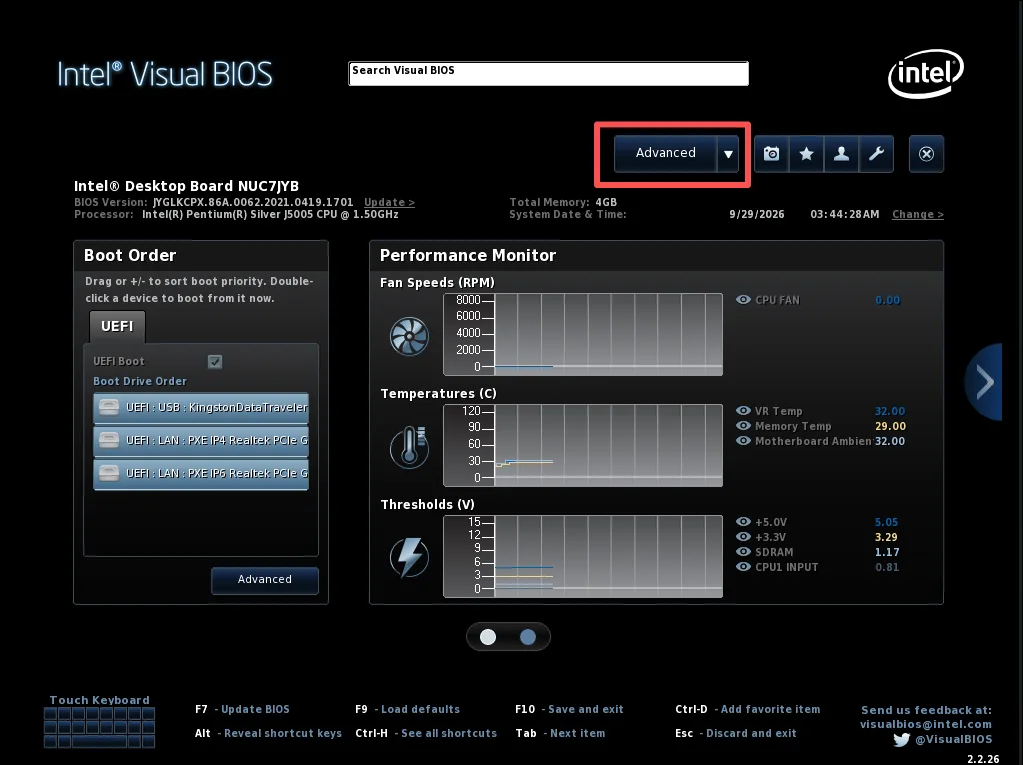
Click the Advanced tab on the top navigation bar to access advanced settings.
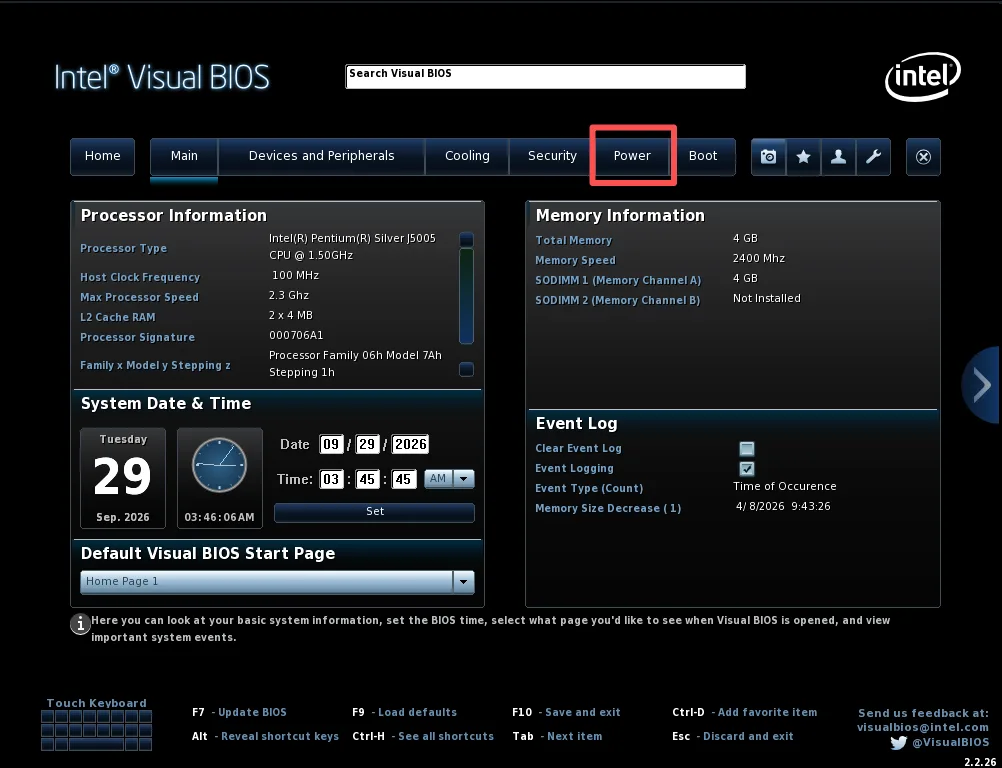
Click the POWER tab on the top navigation bar to enter power management settings.
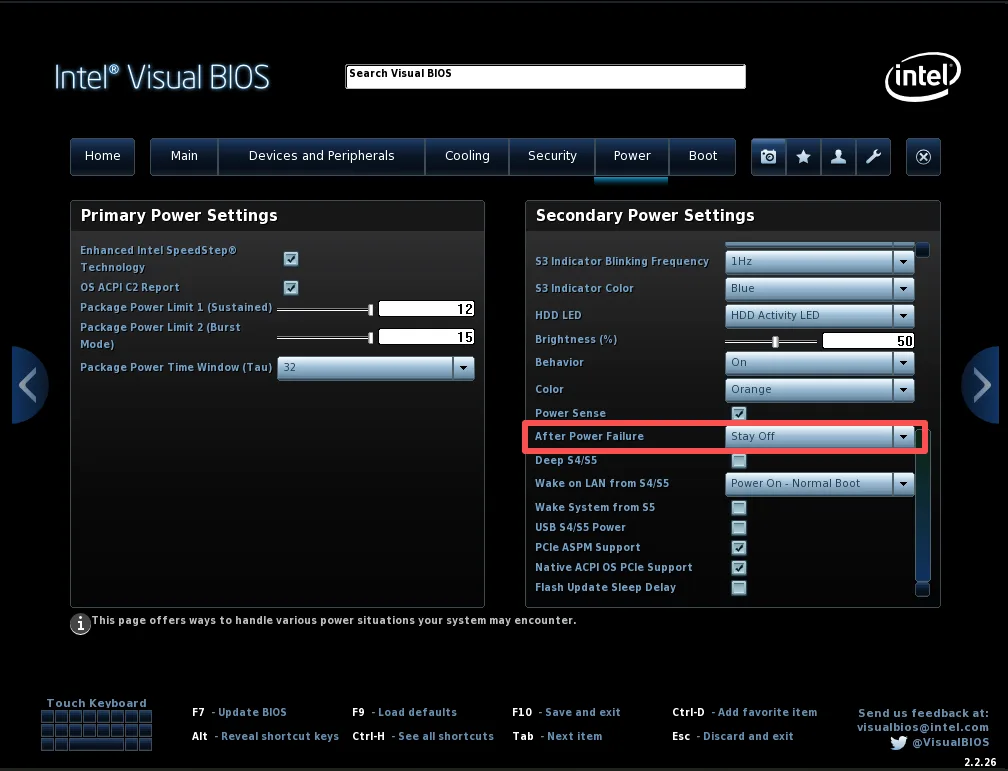
Locate After Power Failure in the Secondary Power Settings section on the right, then set its value to Power On.
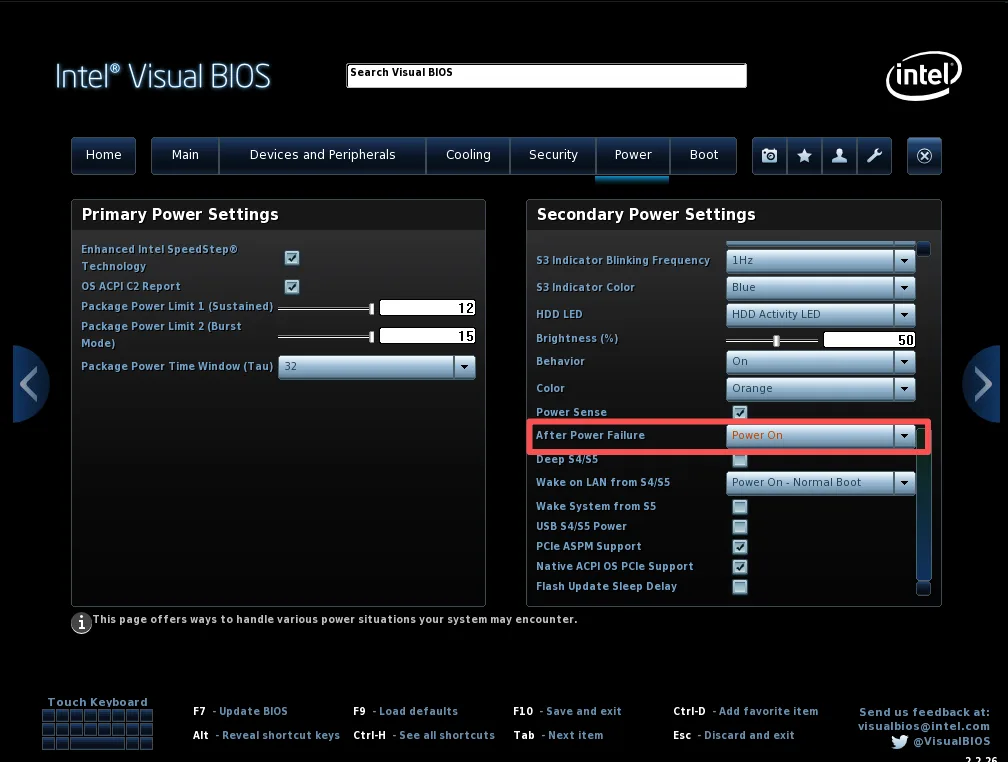
Press F10 to save changes and restart the device to take effect.
Why Enable Auto Power-On on Qotom Q10531?
For Qotom Q10531 Mini PCs used in network appliances, industrial monitoring or unattended computing environments, automatic startup after AC power recovery can reduce the need for manual intervention.
To enable this feature, enter BIOS Setup by pressing F2, then navigate to Advanced → POWER → Secondary Power Settings → After Power Failure. Select Power On and press F10 to save the configuration.
Note: This feature controls whether the device powers on after electricity is restored. It does not prevent data loss during an unexpected power outage. A UPS is recommended for applications requiring continuous operation.